
Use Shopify's native tools to test whether shipping rates appear correctly. Use Lioriq when you need to test whether a free shipping threshold, market-specific offer, or no-free-shipping setup improves profit.
Use this guide to compare shipping testing tools and configure shipping tests. For how to A/B test one free shipping threshold against another, use the threshold testing guide and screen the candidates in the calculator.
Two meanings of shipping testing
The phrase "shipping testing" can mean two different things. A technical rate test checks whether the right shipping option appears for a shopper's cart, address, market, and checkout context. A business test checks whether one shipping offer performs better than another.
Both are useful, but they solve different problems. Native Shopify checks help merchants avoid broken checkout rules. Lioriq helps merchants stop guessing which free shipping promise should appear on the storefront.
When Shopify native testing is enough
Verify rate display
Use checkout previews, draft orders, or test orders to confirm the expected shipping rate appears.
Check profiles and markets
Confirm shipping profiles, zones, markets, currencies, and product rules match the store setup.
Use payment test mode
Run safe test transactions before making a rule live for shoppers.
Confirm checkout behavior
Make sure the cart, address, and selected market lead to the shipping option you expect.
Where native testing stops
Testing that a rate works is not the same as showing different thresholds to comparable shoppers.
A free shipping offer can lift conversion while reducing profit after the merchant pays shipping.
Native checks are the right first step before publishing. They do not answer whether a $75 threshold is better than $95, whether one market needs a different threshold, or whether no free shipping is better than the offer.
When to use Lioriq Free Shipping A/B
Use Lioriq when the checkout setup works, but the shipping promise is still a business decision. The app can publish the storefront bar, target offers by Shopify Market, assign shoppers to a test, and report profit, revenue, completed orders, and conversion.
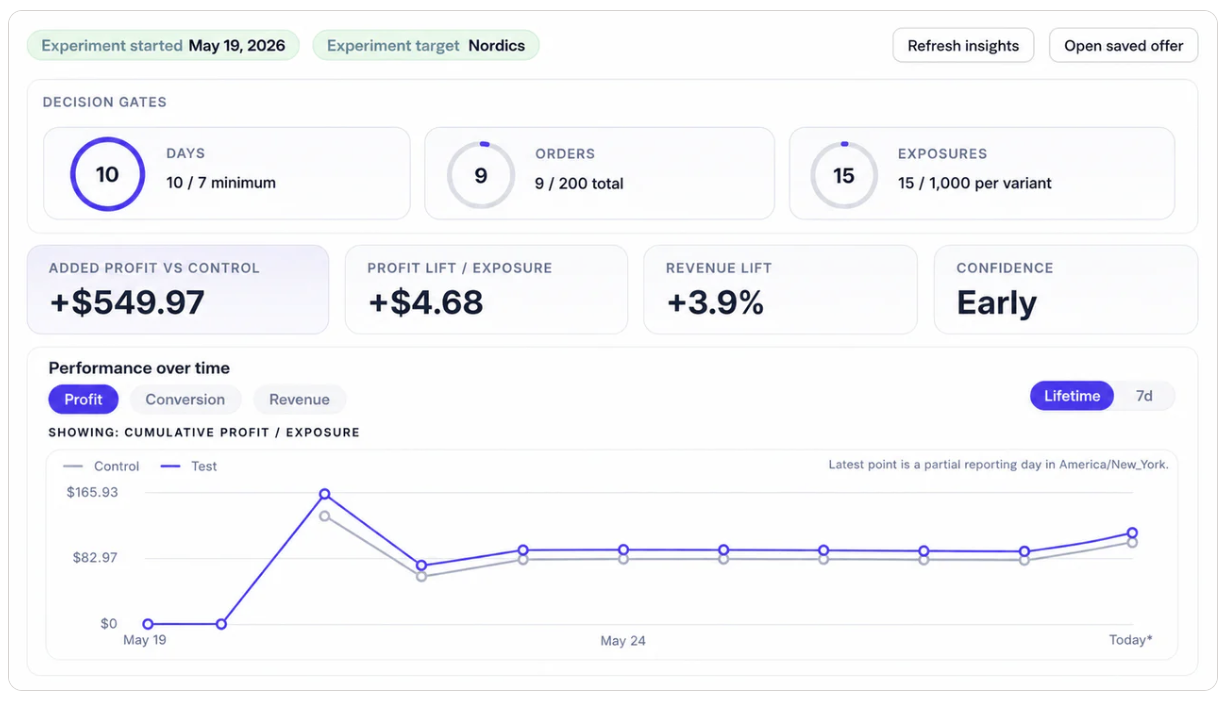
Test the offer after rates are verified
Keep Shopify's native checks for technical correctness, then use Lioriq to decide which free shipping offer should become the long-term policy.
Install on Shopify App StoreWhich tool fits the job?
FAQ
Can Shopify test shipping rates natively?
Yes. Shopify's native tools can help verify shipping rates, profiles, markets, discounts, and checkout behavior before a setup goes live.
Can Shopify A/B test free shipping thresholds natively?
Shopify can publish the rates and discounts, but most merchants still need an app to split traffic, keep storefront messages consistent, attribute orders, and compare results by variant.
What is the best tool for testing free shipping in Shopify?
Use Shopify for technical rate checks. Use Lioriq when the question is whether a free shipping threshold, market-specific offer, or no-free-shipping setup performs better after shipping cost.
When should I use Lioriq instead of Shopify's native tools?
Use Lioriq after the rates work and the remaining decision is which free shipping promise should be shown to shoppers.